Applicant tracking systems are designed for organisations that run structured, high-volume recruitment pipelines. They are built around the assumption that multiple hiring managers are reviewing dozens of applications simultaneously, that every application needs to be tracked through a defined stage pipeline, and that compliance reporting requires a structured audit trail. For organisations that hire two or three people a year, this is a £2,000 to £8,000 annual investment in software where 90 percent of its features will go unused.
Most small businesses and early-stage startups are not running high-volume pipelines. They are making two to five hires per year, each of which involves a defined role, a review process that fits comfortably in a shared spreadsheet, and a decision-making group of two or three people. The infrastructure question is not "which ATS should we use?" — it is "what is the minimum viable process that produces good hires without costing more than the hire is worth?"
A job application form connected to a Google Sheet answers this question for most organisations at this scale.
The Case Against an ATS at Small Scale
An ATS costs what it costs — and the cost is not just the subscription. There is setup time, candidate portal configuration, the integration work required to connect it to job boards, the ongoing maintenance when job boards change their posting formats, and the training for every hiring manager who touches the system. For a company that hires three people a year, the total cost of ATS implementation and maintenance typically exceeds the value it provides.
The second cost is candidate experience. Enterprise ATS platforms are known for poor candidate-facing interfaces: mandatory account creation, mobile-unfriendly forms, application flows that require re-entering information already on the CV, and confirmation emails that look like automated system messages from the 2000s. The candidates most in demand — experienced developers, senior marketers, strong operators — have been through enough poor application processes to make decisions based on what the process signals about the organisation. A smooth, fast application form that looks professional and confirms immediately signals competence. A clunky ATS portal that requires three login steps and crashes on mobile signals something else.
The small-business case for a simple job application form is not just cost. It is candidate quality. The process that is easiest to complete will attract the widest pool, including candidates who are employed, busy, and not yet convinced they want to leave their current role. These are often the best candidates — and they will not complete a twelve-step ATS application form to explore a speculative opportunity.
What to Include in a Job Application Template
The fields that matter for initial screening differ by role, but the structure of a useful small-business job application template is consistent: contact details, a qualification signal, a brief work history summary, and one short answer question that reveals communication quality and specific relevance.
Build a job application form for a small business
hiring a marketing manager. Ask for full name, email
address, phone number, current location, right to
work in the UK (yes/no dropdown), LinkedIn profile
URL, years of marketing experience (dropdown: 0-2,
3-5, 6-10, 10+), most relevant achievement in
two sentences (open text), and an optional CV upload.
Do not ask for date of birth, current salary, or
references at this stage.
The two-sentence achievement question is the highest-value field in any application form that uses it. It is short enough that candidates who are serious will answer it — two minutes, not twenty. It is specific enough to distinguish between candidates who can communicate clearly and those who cannot. And it is directly relevant to the screening decision in a way that a cover letter is often not, because the constraint forces a concrete answer rather than a general pitch.
LinkedIn profile URL produces a richer picture than a CV for most marketing, operations, and commercial roles. It loads instantly for the reviewer, does not require the candidate to format or upload a document, and is current by definition. For roles where portfolio work matters — design, content, engineering — replacing the CV upload with a portfolio URL or a GitHub link is often more informative than a PDF attachment.
The right-to-work question as an initial screening filter saves time at a later stage. Collecting it upfront, as a yes/no dropdown, means that applicants who are not eligible are identifiable at the filter stage without requiring a conversation. The legal nuance — sponsored visa eligibility, visa transfer processes — belongs in the interview stage; the initial filter simply identifies whether a standard right-to-work check is required.
Managing Applications in Google Sheets
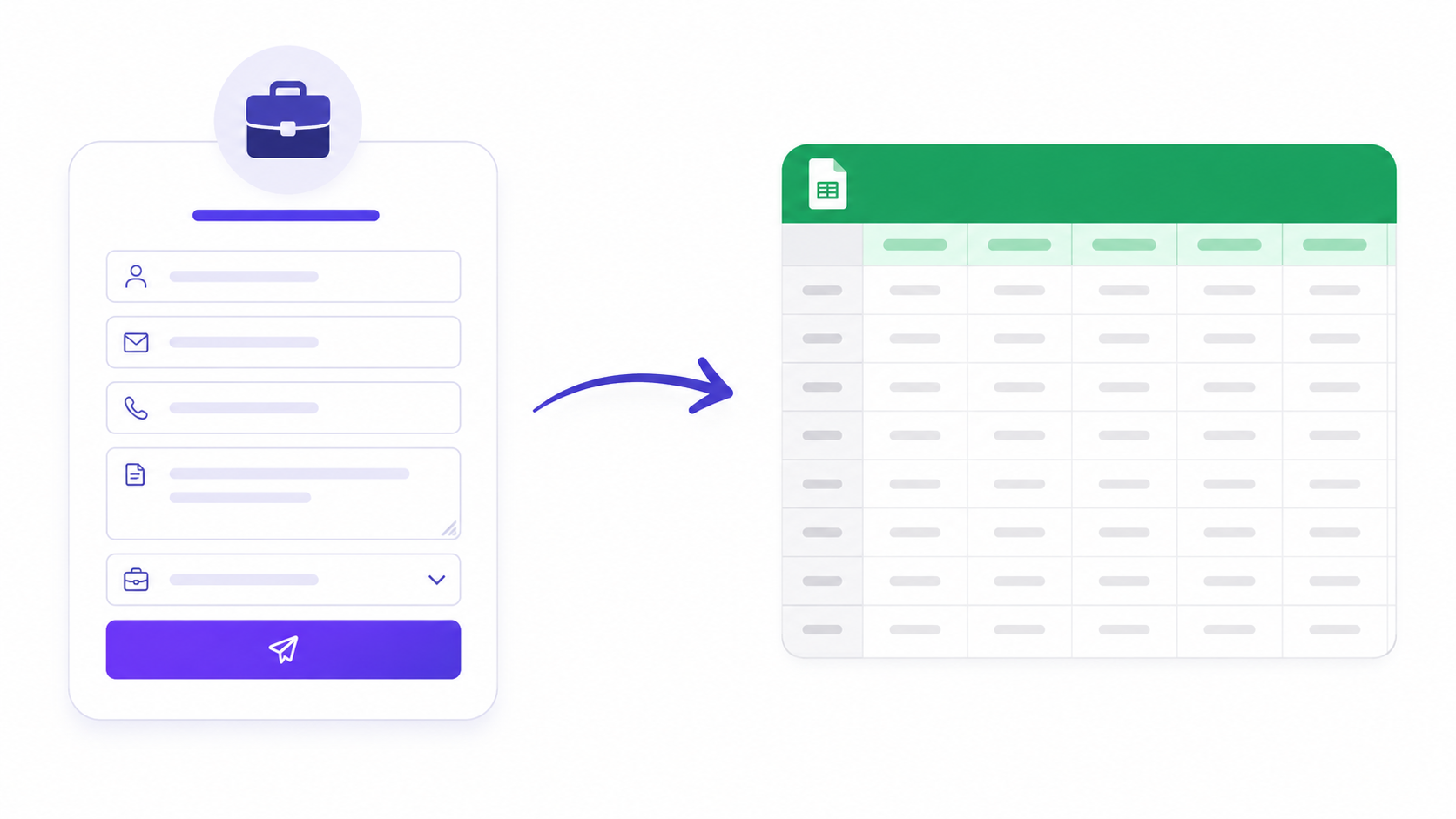
A Google Sheet with one row per application and one column per field is the operational equivalent of an ATS for most small hiring processes. The spreadsheet is shareable with every hiring manager, sortable by any field, filterable by qualification criteria, and requires no setup beyond connecting the form once.
Promptly Forms sends each application to a named Google Sheet in real time via the Google Sheets integration. The connection takes under two minutes to configure. Every submission from that point adds a new row automatically, with name, email, qualification answers, and the two-sentence achievement response in separate, sortable columns. The CV or portfolio link, if submitted, appears as a clickable URL in its column.
The basic pipeline management structure in a Google Sheet uses a Status column — Applied, Reviewing, Interview Scheduled, Offer, Rejected — that any hiring manager can update. A Notes column for quick observations after reviewing the application. And a colour-coded conditional format that highlights any row where the right-to-work answer is "No," which may require a different process in your jurisdiction.
For teams that want a lightweight stage view without a full ATS, a second sheet tab with a filter view for each Status value produces the equivalent of a pipeline board without requiring any additional tooling. A Slack notification triggered through a Make automation can alert the hiring manager within minutes of each new application — more responsive than daily email digests and requiring no ongoing manual action once configured.
The Screening Process Without an ATS
The manual screening process for a small hiring pipeline has three stages: initial filter, substantive shortlisting, and interview selection. Each stage applies different criteria and requires a different level of reviewer time.
Initial filter is mechanical: does the candidate meet the must-have criteria? Right to work, location if relevant, minimum experience threshold. This can be done in the Google Sheet in under ten seconds per application by any hiring manager with access. Applications that do not clear the initial filter are marked Rejected in the Status column and receive a prompt acknowledgment — something a Promptly automation or a simple Gmail filter can send automatically based on a tag or label.
Shortlisting is substantive: does the candidate's two-sentence achievement answer suggest specific, relevant capability? Does the LinkedIn profile show a clear progression toward the role requirements? This takes two to three minutes per application and is where the hiring manager's attention should be focused — not on reading cover letters or re-entering CV data.
Interview selection is the smallest group: typically three to six candidates who clear both the mechanical filter and the substantive review. At this stage, a fifteen-minute phone screen is faster than any form-based assessment and more informative than additional written questions. The application form has done the work of filtering; the phone screen is a confirmation step.
Posting and Promoting Your Application Form
A job application form needs to be where candidates are. For most small businesses, that means three channels: the company website, LinkedIn, and one or two job boards relevant to the role.
The company website application matters most. A candidate who arrives at your careers page has already done research and has a higher intent level than a candidate who found the role on a job board while browsing. The application form should be directly embeddable on the careers page or reachable via a clean link — no redirect to a third-party platform, no account creation required.
LinkedIn job postings accept an application URL, which means the Promptly form link can be the application destination. This bypasses the LinkedIn Easy Apply process — which sends applications to LinkedIn's interface rather than your form — and puts all applications in one place: your Google Sheet.
Job board listings similarly accept an application URL. Posting on one or two boards relevant to the specific role — rather than blanket posting across twenty — and linking to the Promptly form produces a more manageable application volume with better candidate quality than mass distribution.
For the post-hire experience, the online application form guide covers the transition from initial application to shortlisting and offer for higher-volume pipelines.
Browse the HR and recruitment templates for job application starting points across common role types, or open the AI form builder and describe your role to generate an application form specific to your requirements.
Create a free account to save and publish your job application form →
Free plan includes 100 responses per month and 3 AI form generations. No credit card required, and no account is needed to try the generator on the homepage.